AI WELD SEAM INSPECTION

Inspect visible weld seams from multiple views

Combine weld inspection with dimensional measurement in one Inline3D system.

Discuss your inspection task

The inspection workflow

Four steps connect the component model with the inspection result.

01

CAD-supported programming

  • Import STEP geometry and weld splines.
  • Define the inspection locations using guided programming.
  • Connect CAD geometry with camera views.
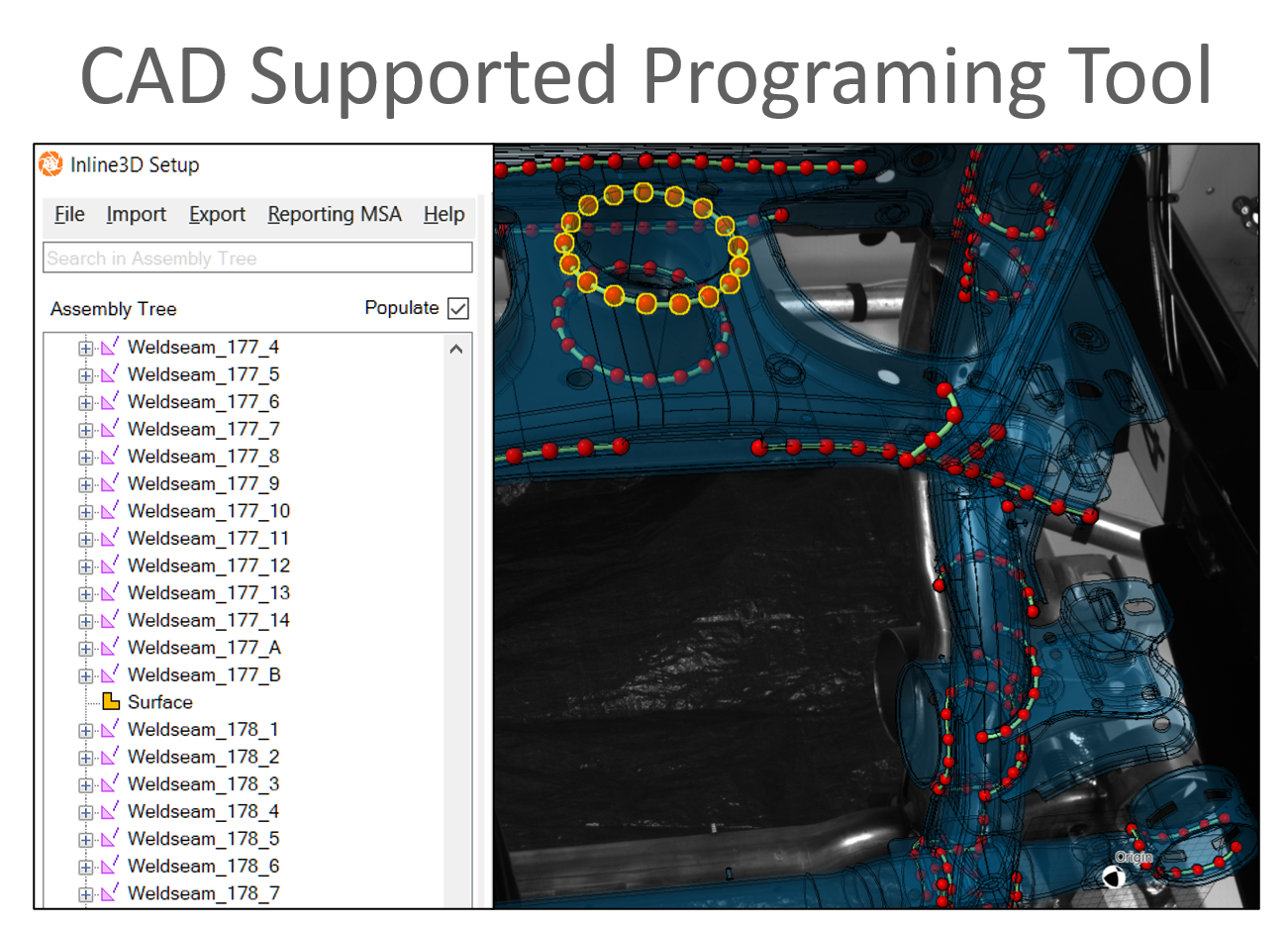
CAD-supported programming

02

Camera visibility

  • Check automatically which cameras observe each seam.
  • Inspect the same seam from several views.
  • Configure the CAD-based inspection region.
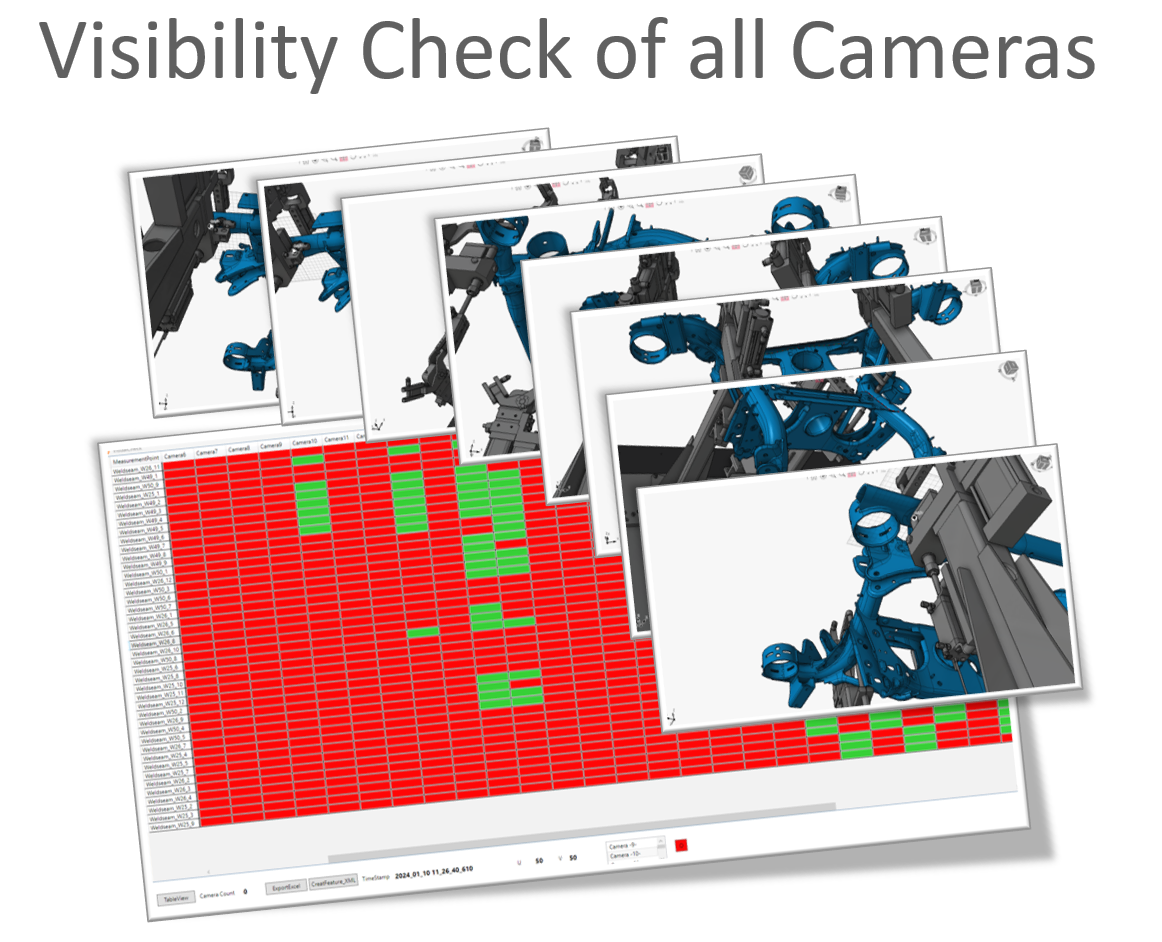
Camera visibility

03

Illumination selection

  • Use high-resolution cameras and adjustable gain.
  • Choose LED illumination for the weld surface.
  • Configure up to six illumination steps.
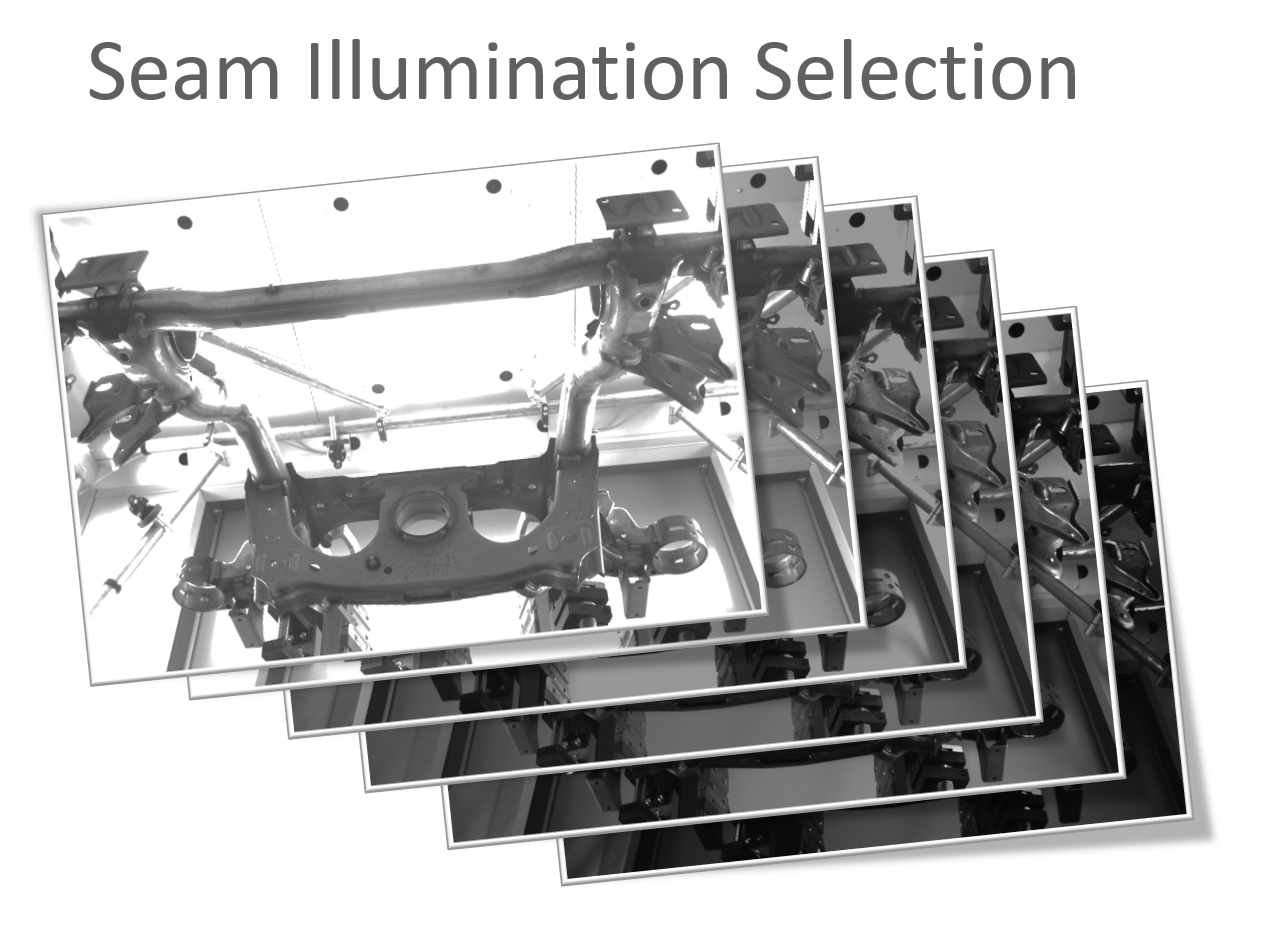
Illumination selection

04

AI inspection results

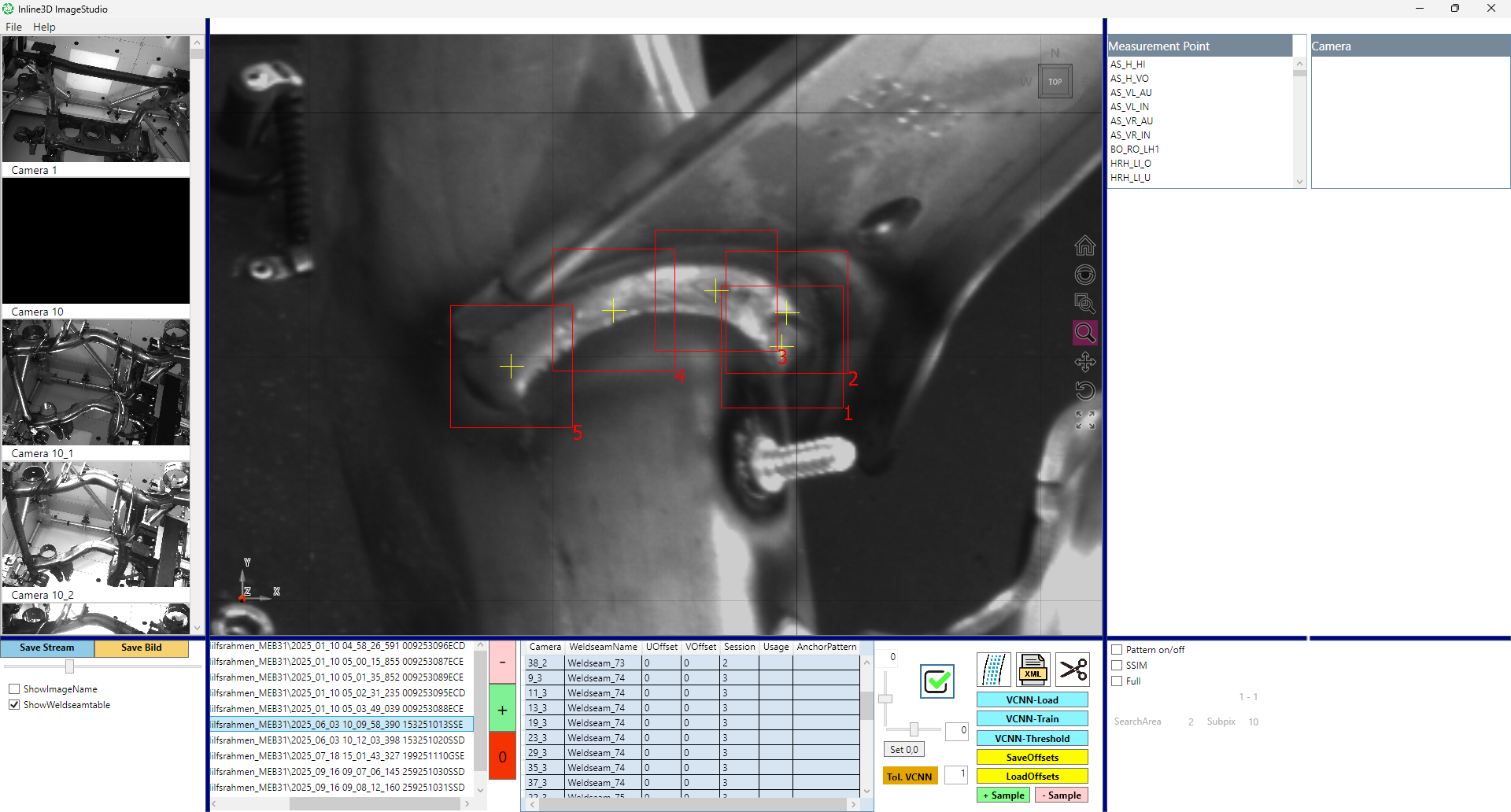
  • Combine camera observations with the weld-seam VCNN.
  • Adjust the pre-trained model using parametric samples.
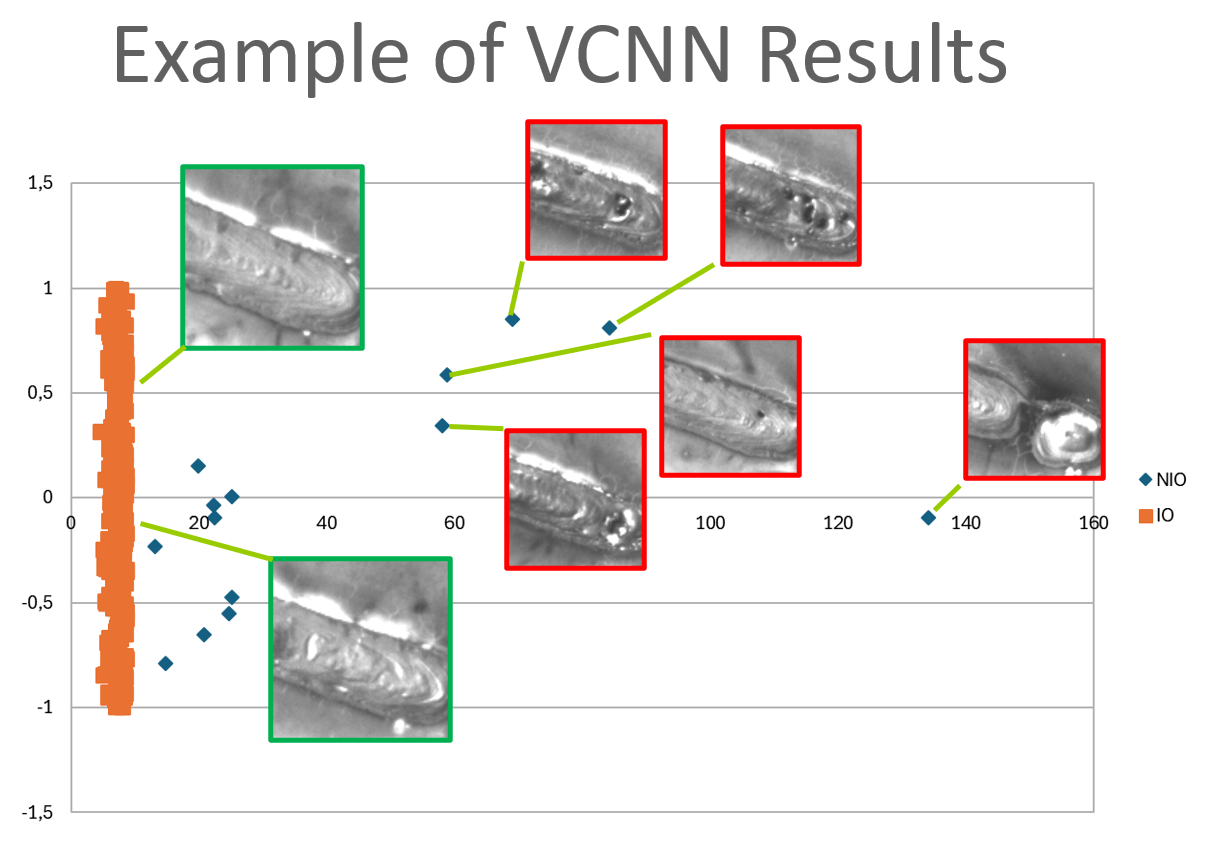
  • Review example OK and not-OK results.
AI inspection results

Weld quality. Clearly visible.

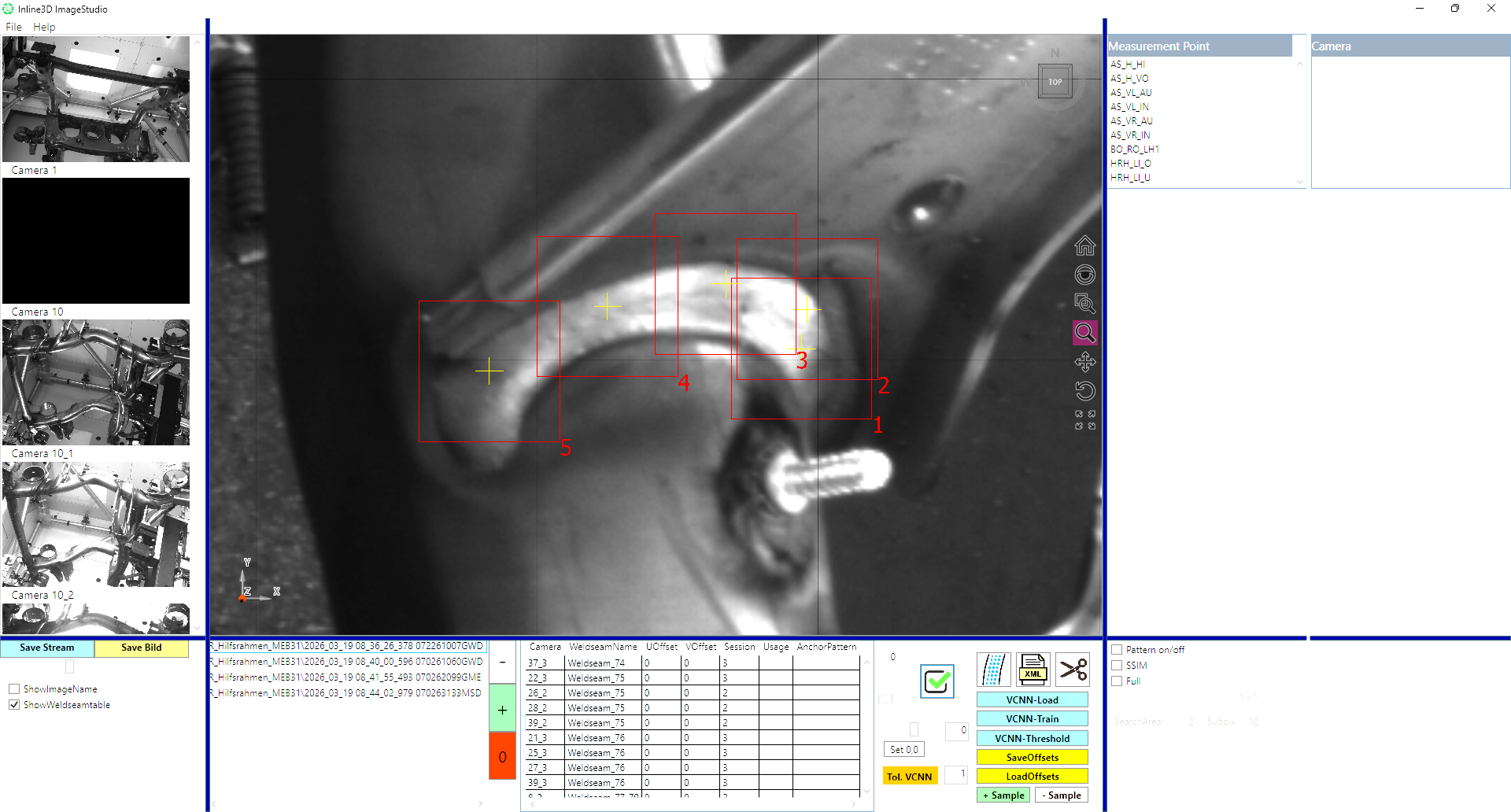
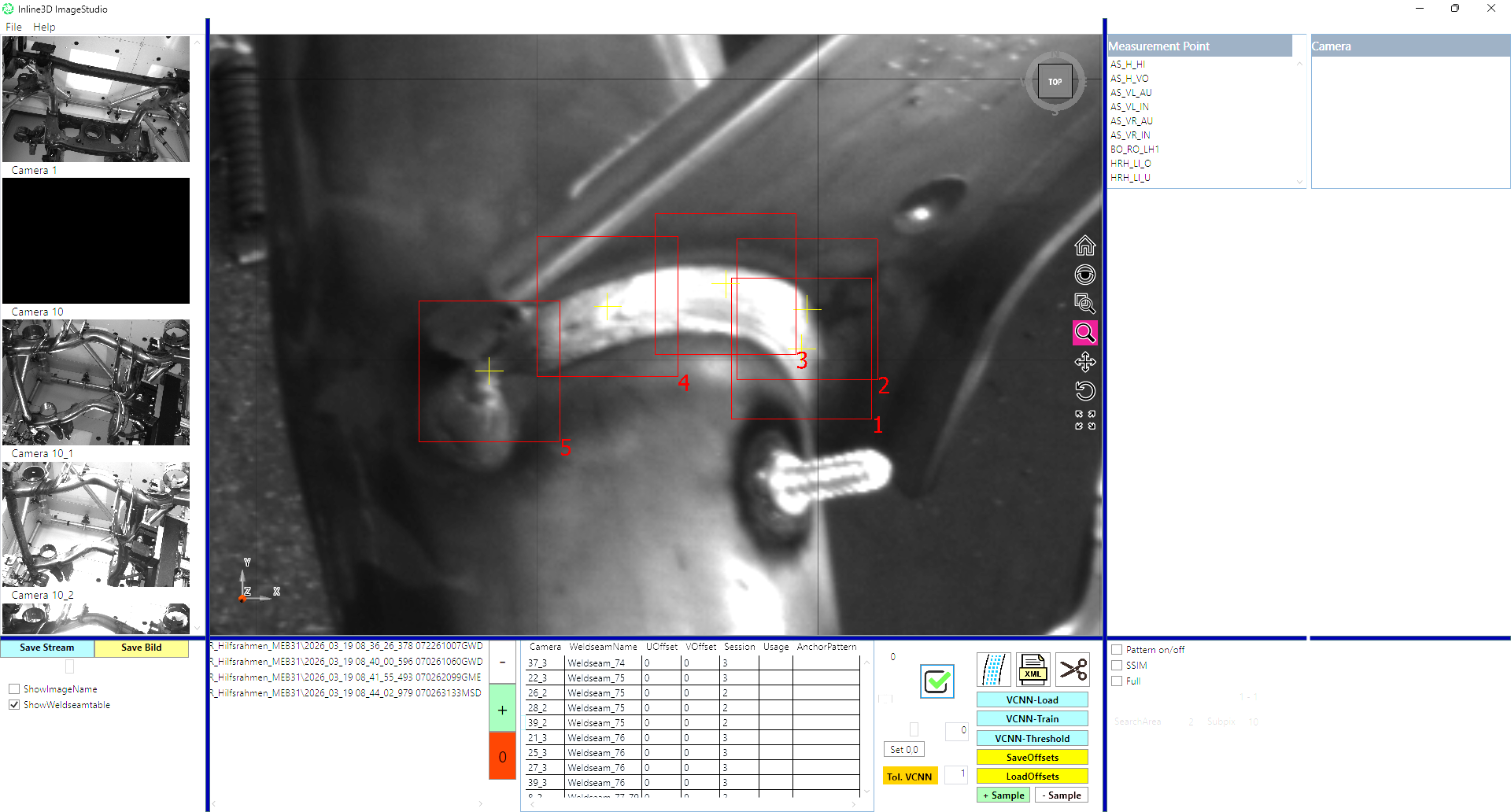
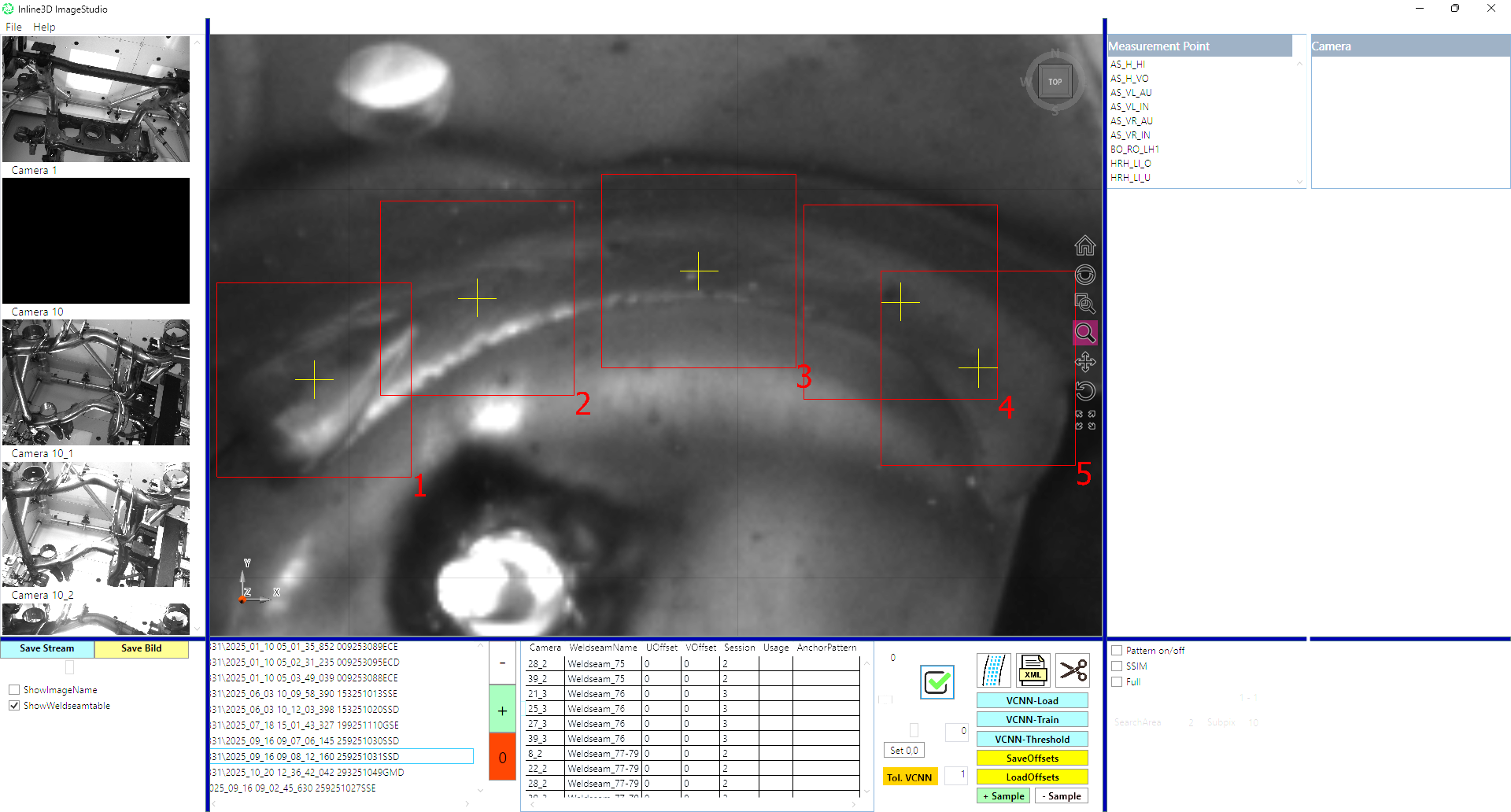
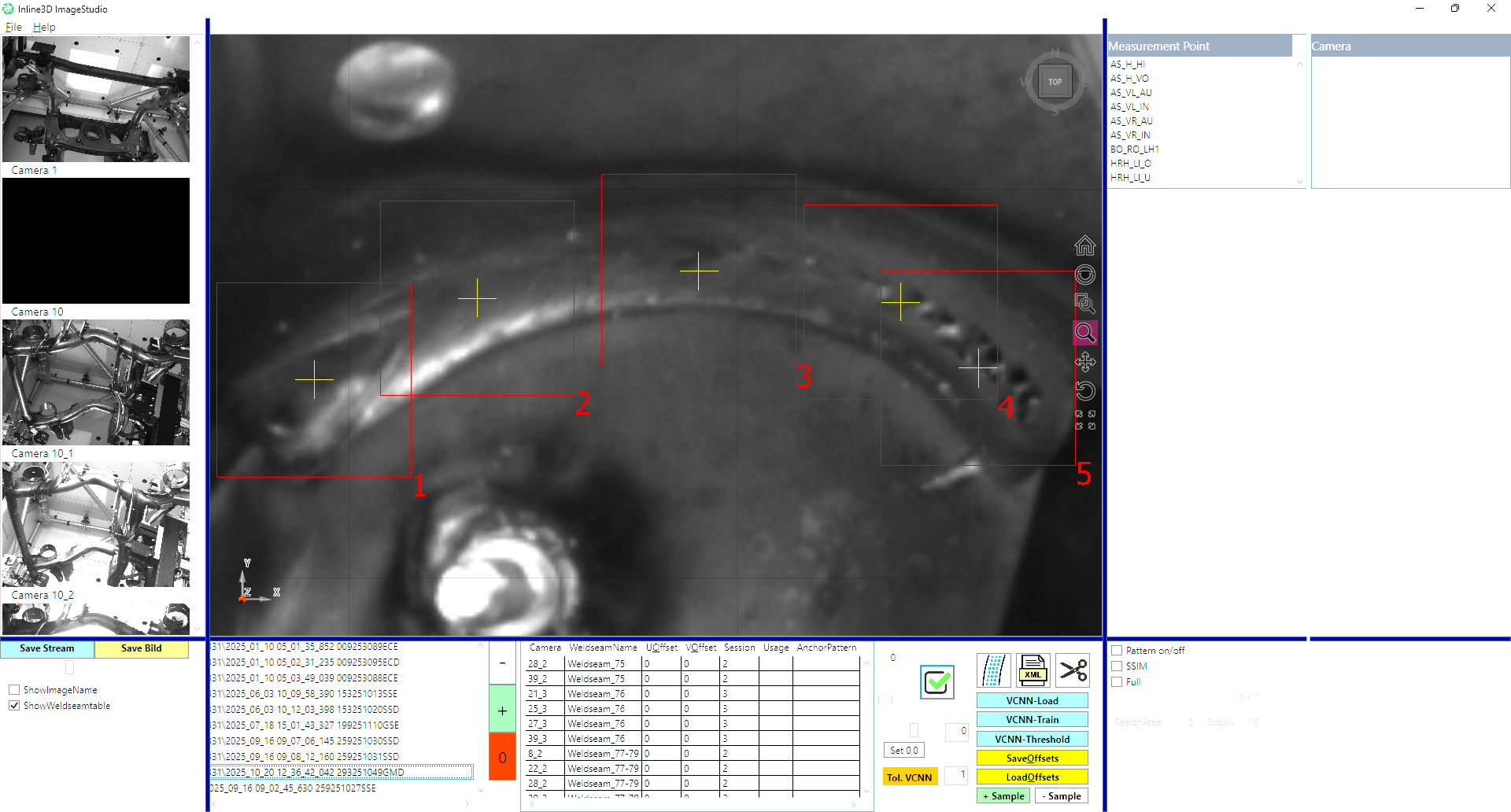
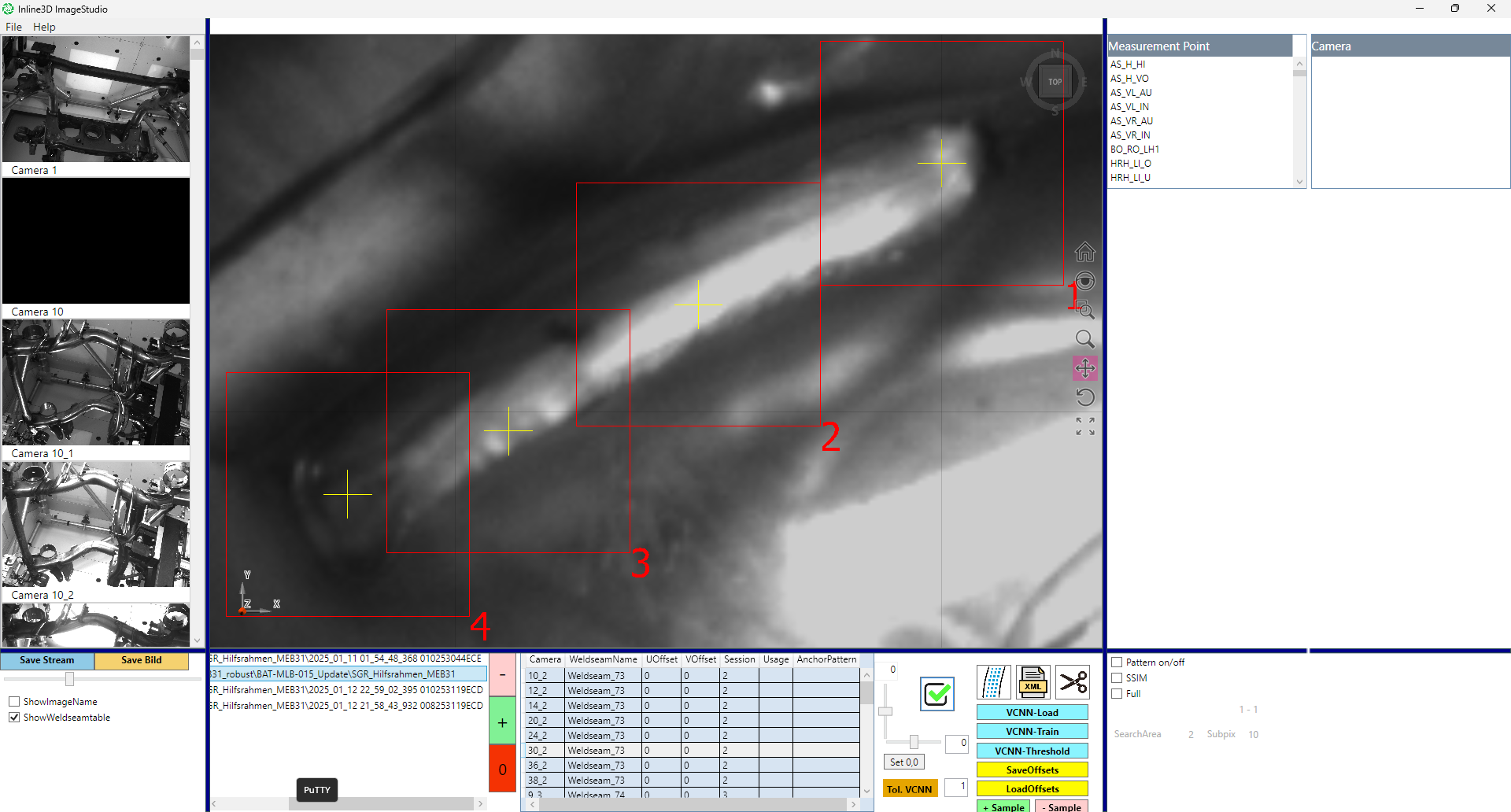
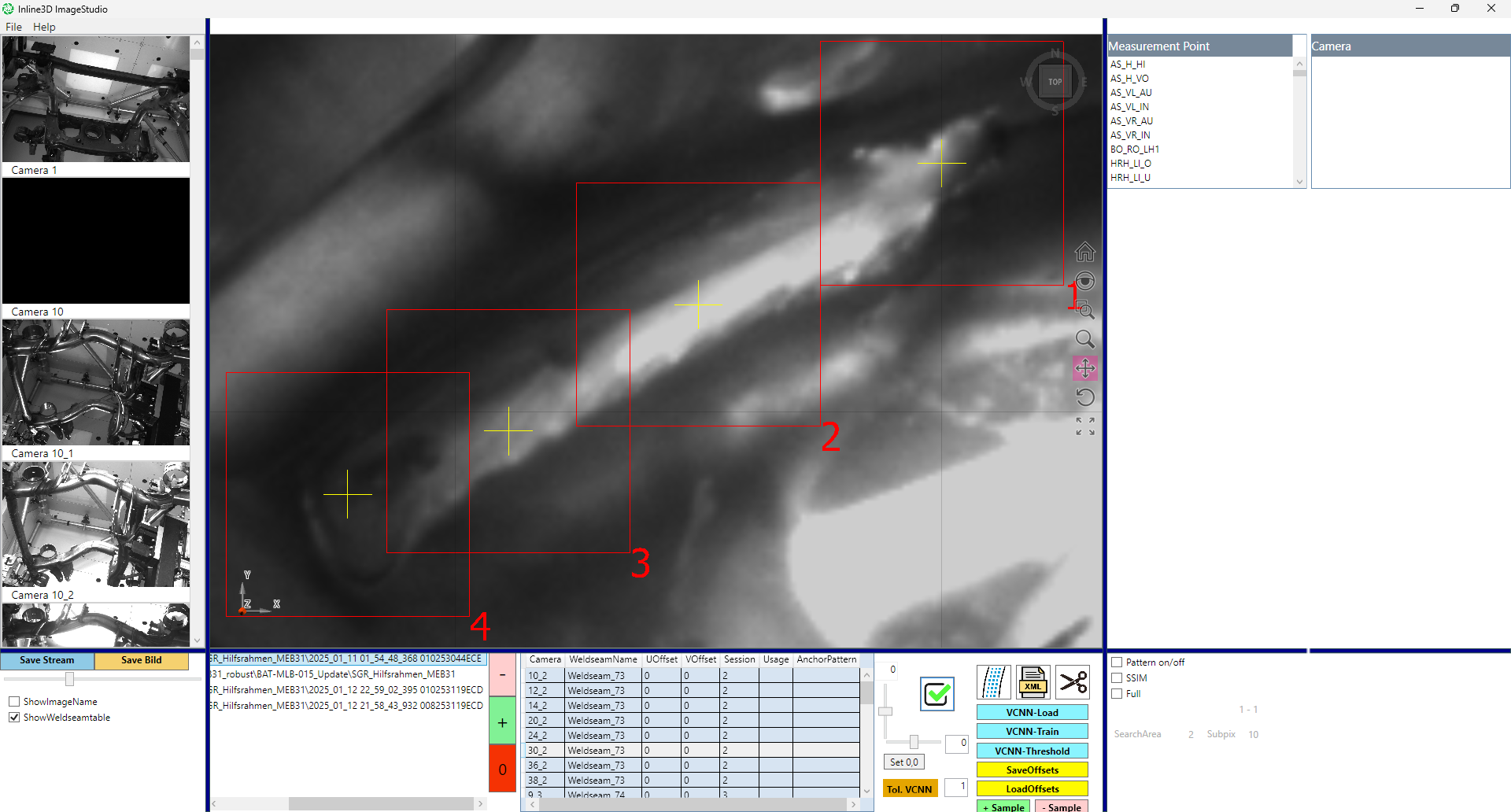
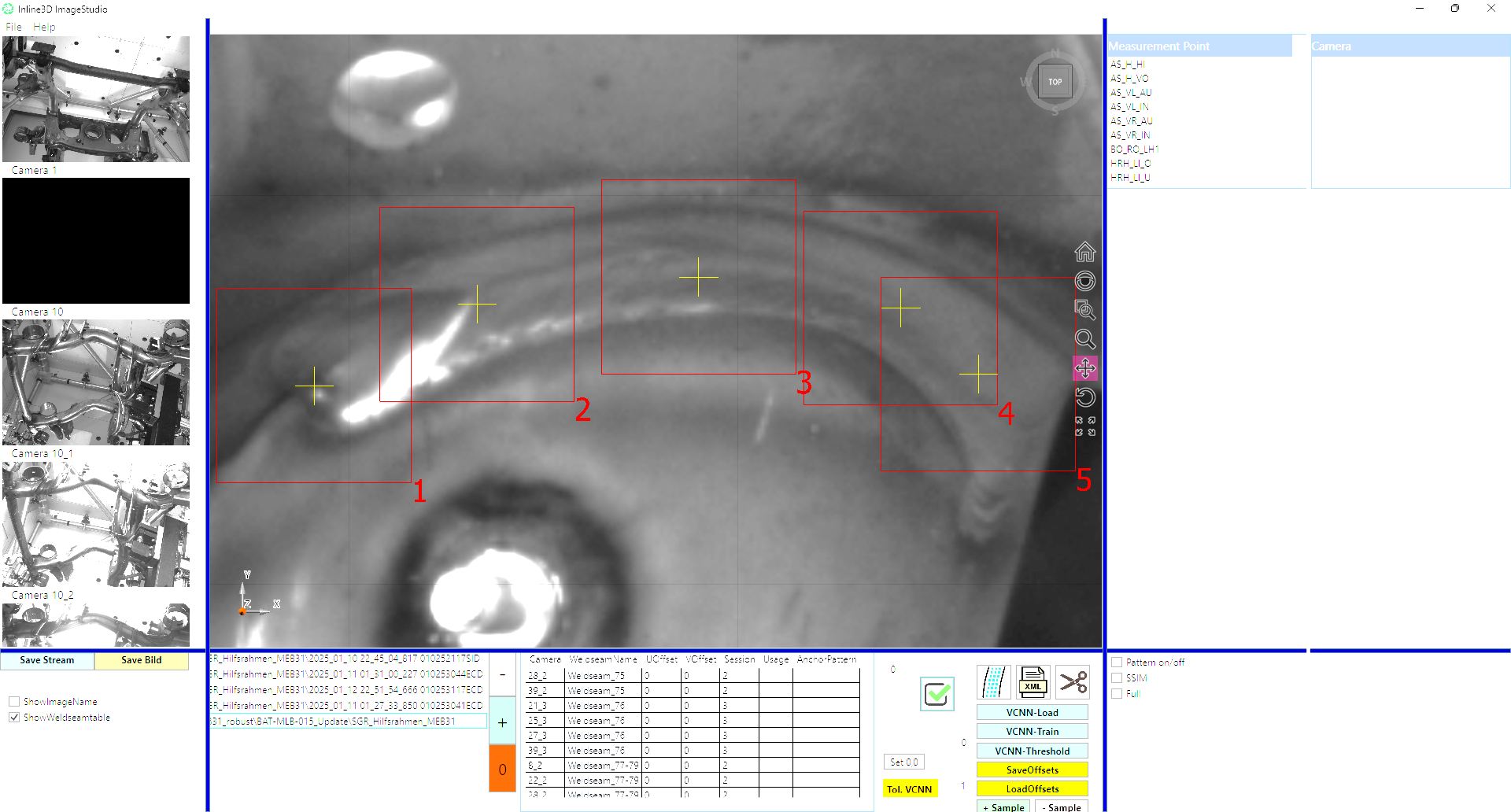
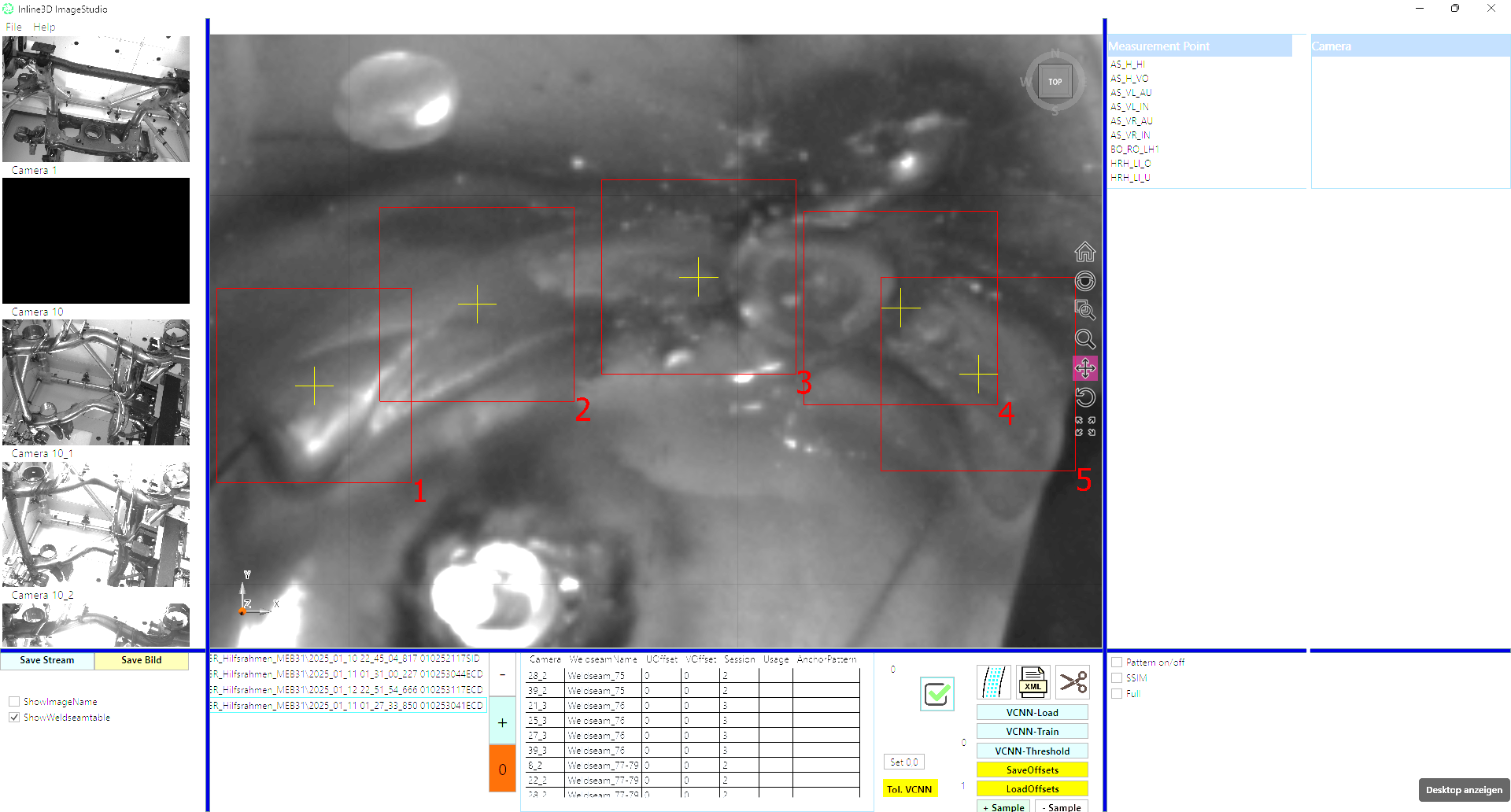
Compare accepted seams with the failure examples. Yellow circles identify the same defect areas shown in the presentation; red rectangles are the original inspection regions.

Weld seam displacement
OK
OK seam: Weld seam displacement
NOT OK
NOT OK seam: Weld seam displacement, defect circled in yellow

Porosity

OK
OK seam: Porosity
NOT OK
NOT OK seam: Porosity, defect circled in yellow

Interrupted seam

OK
OK seam: Interrupted seam
NOT OK
NOT OK seam: Interrupted seam, defect circled in yellow

Porosity

OK
OK seam: Porosity
NOT OK
NOT OK seam: Porosity, defect circled in yellow

Interrupted seam

OK
OK seam: Interrupted seam
NOT OK
NOT OK seam: Interrupted seam, defect circled in yellow

Porosity

OK
OK seam: Porosity
NOT OK
NOT OK seam: Porosity, defect circled in yellow

Incorrect seam length

OK
OK seam: Incorrect seam length
NOT OK
NOT OK seam: Incorrect seam length, defect circled in yellow

Re-welded seam

OK
OK seam: Re-welded seam
NOT OK
NOT OK seam: Re-welded seam, defect circled in yellow

Weld spatter

OK
OK seam: Weld spatter
NOT OK
NOT OK seam: Weld spatter, defect circled in yellow

Incorrect seam thickness

OK
OK seam: Incorrect seam thickness
NOT OK
NOT OK seam: Incorrect seam thickness, defect circled in yellow

Interrupted seam

OK
OK seam: Interrupted seam
NOT OK
NOT OK seam: Interrupted seam, defect circled in yellow

Burn-through

OK
OK seam: Burn-through
NOT OK
NOT OK seam: Burn-through, defect circled in yellow

Configuration with representative parts

The presentation describes a pre-trained multi-camera model that can be configured using OK parts and customer-adjustable parametric samples. Not-OK samples can support validation and classification.

Agree the visible defects and acceptance criteria for the application. The example result plots illustrate the supplied samples and do not establish universal detection performance.

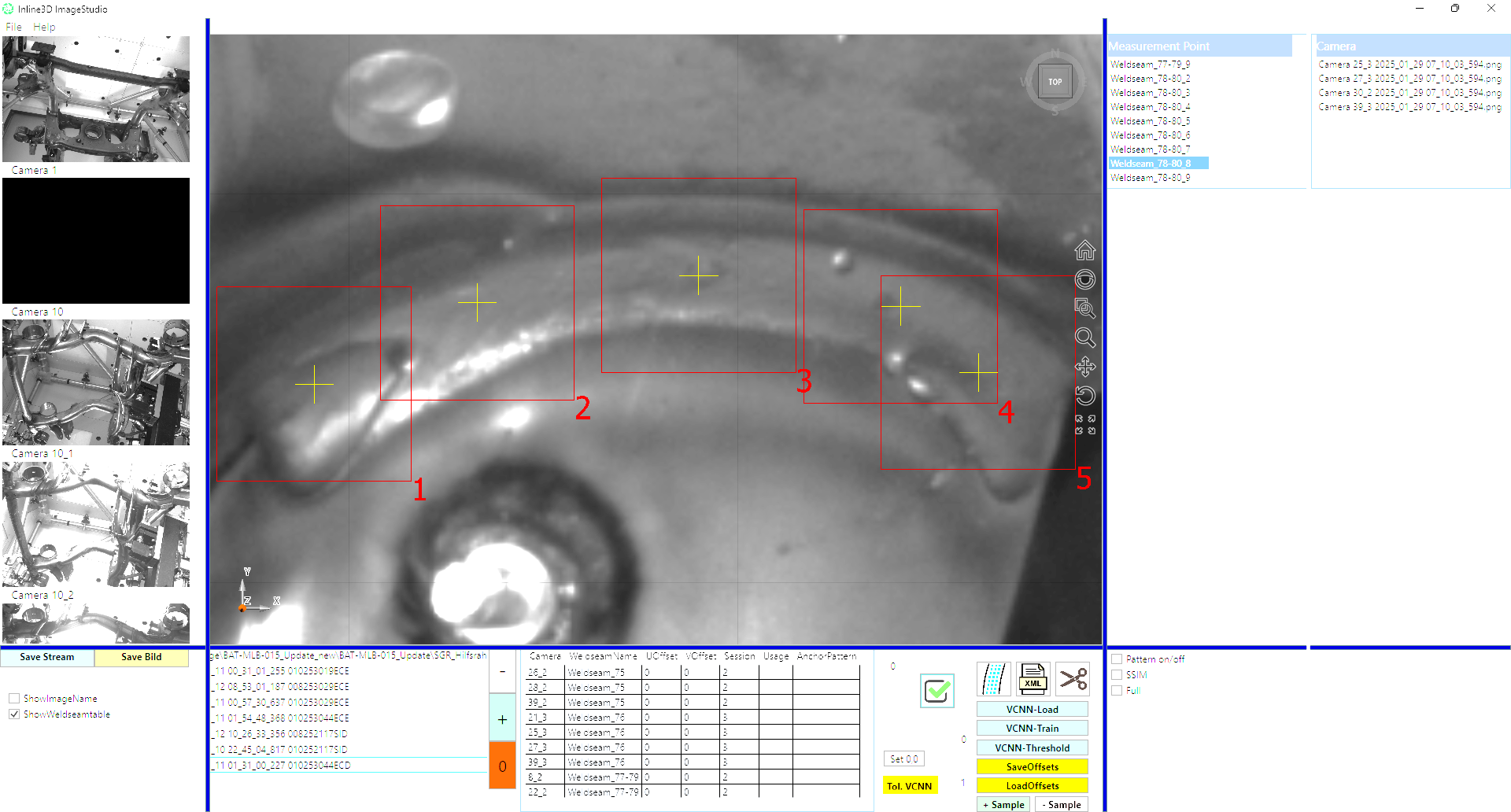
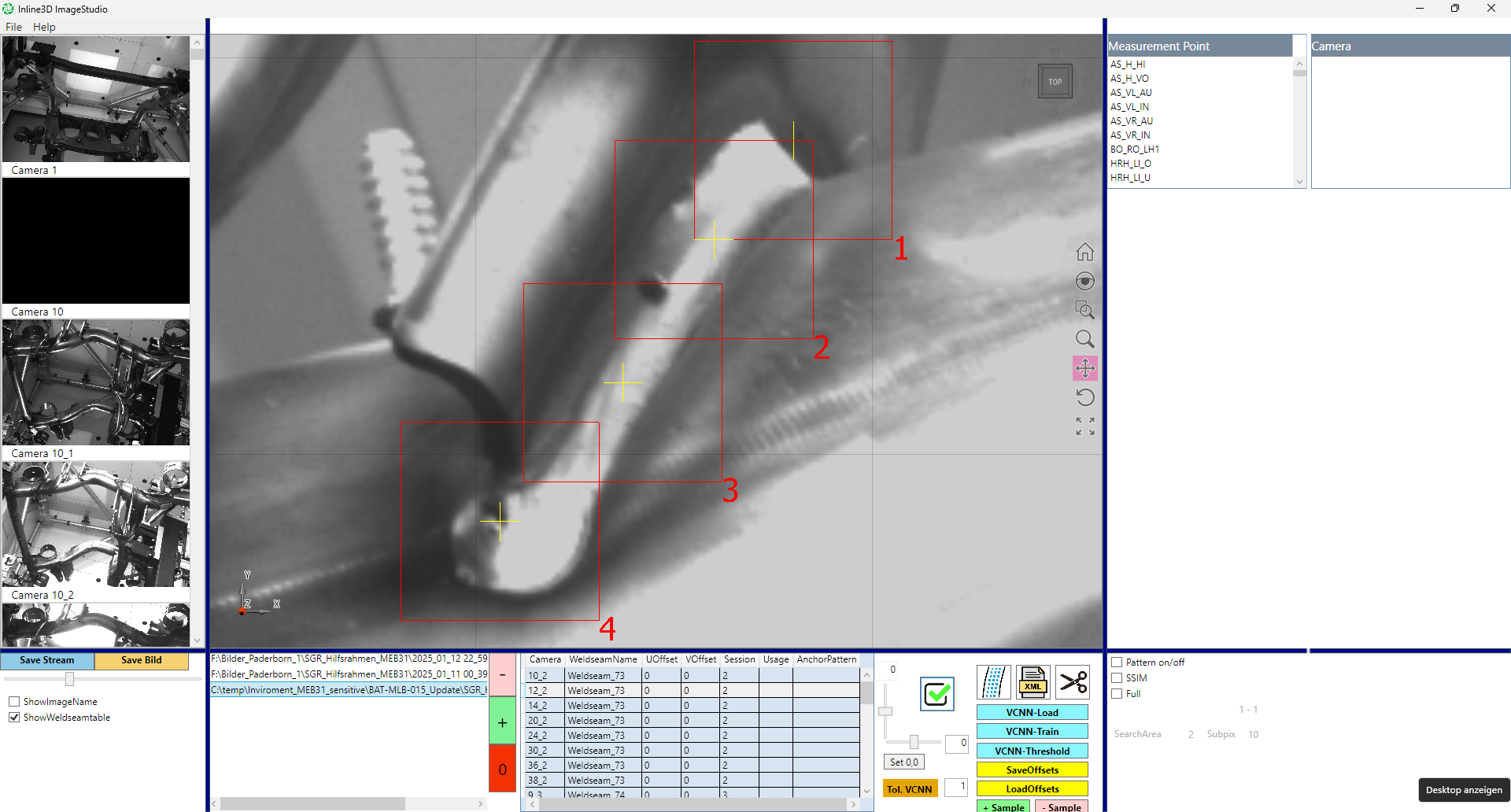
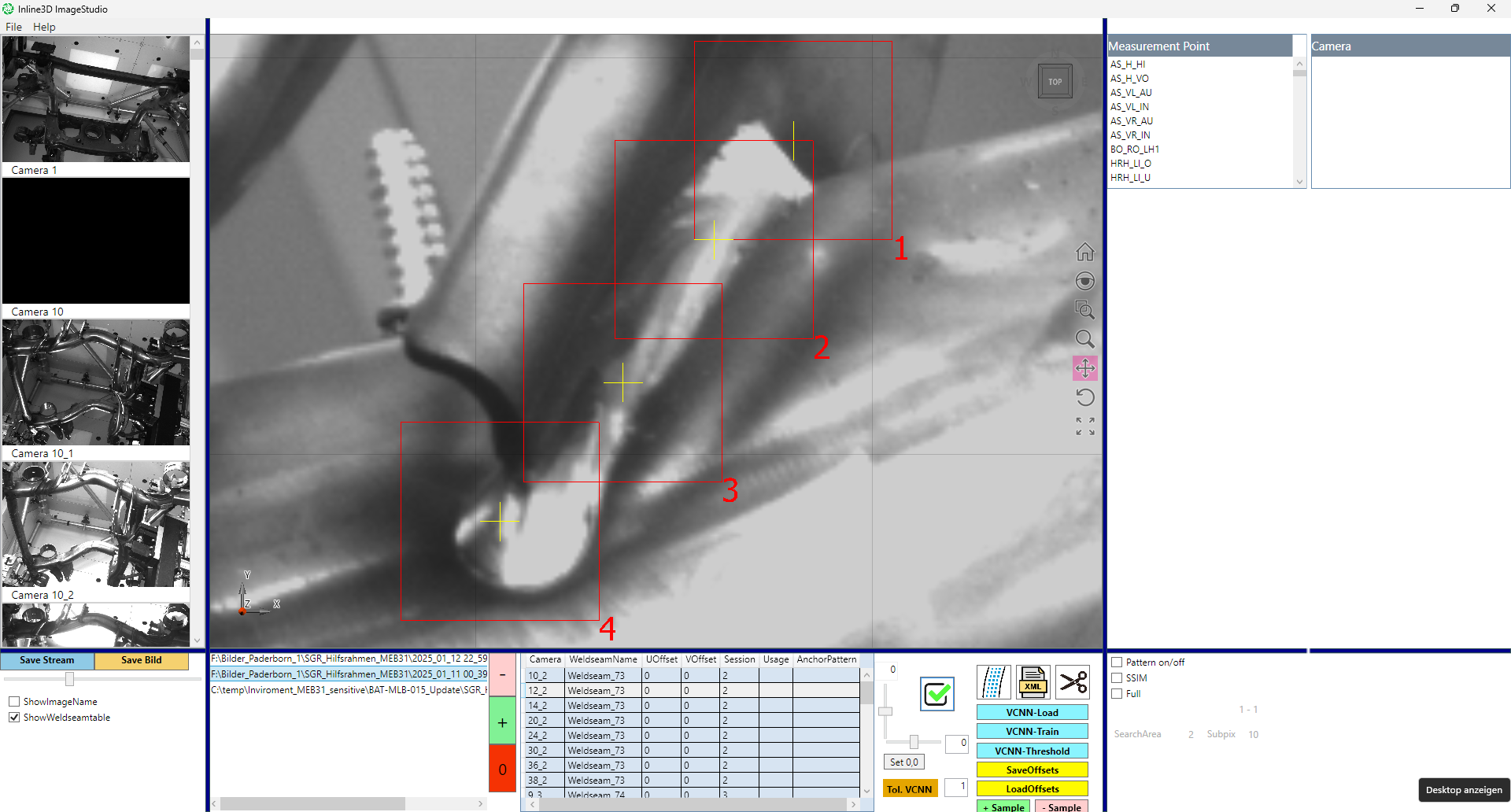
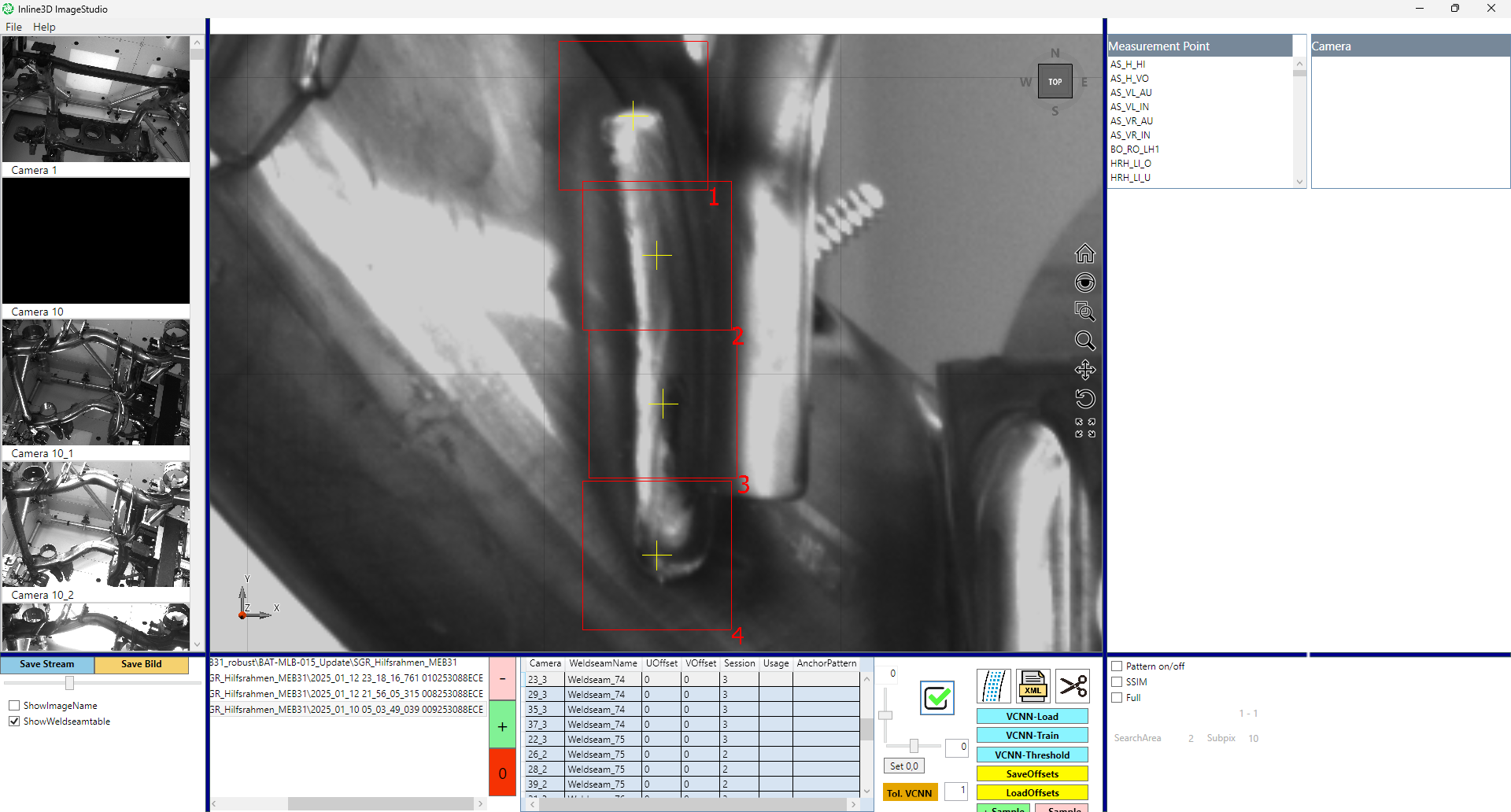
Review the images behind a result

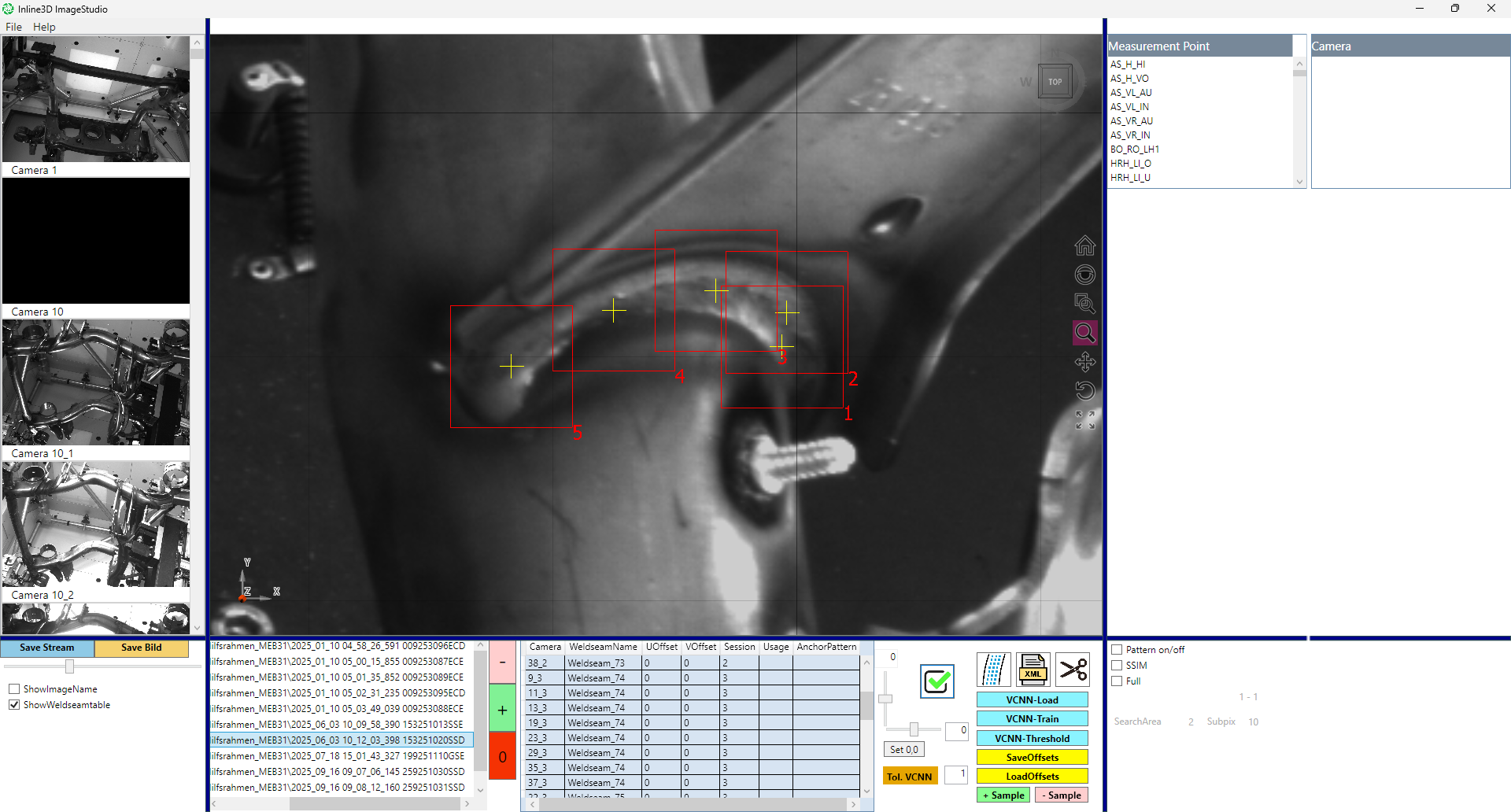
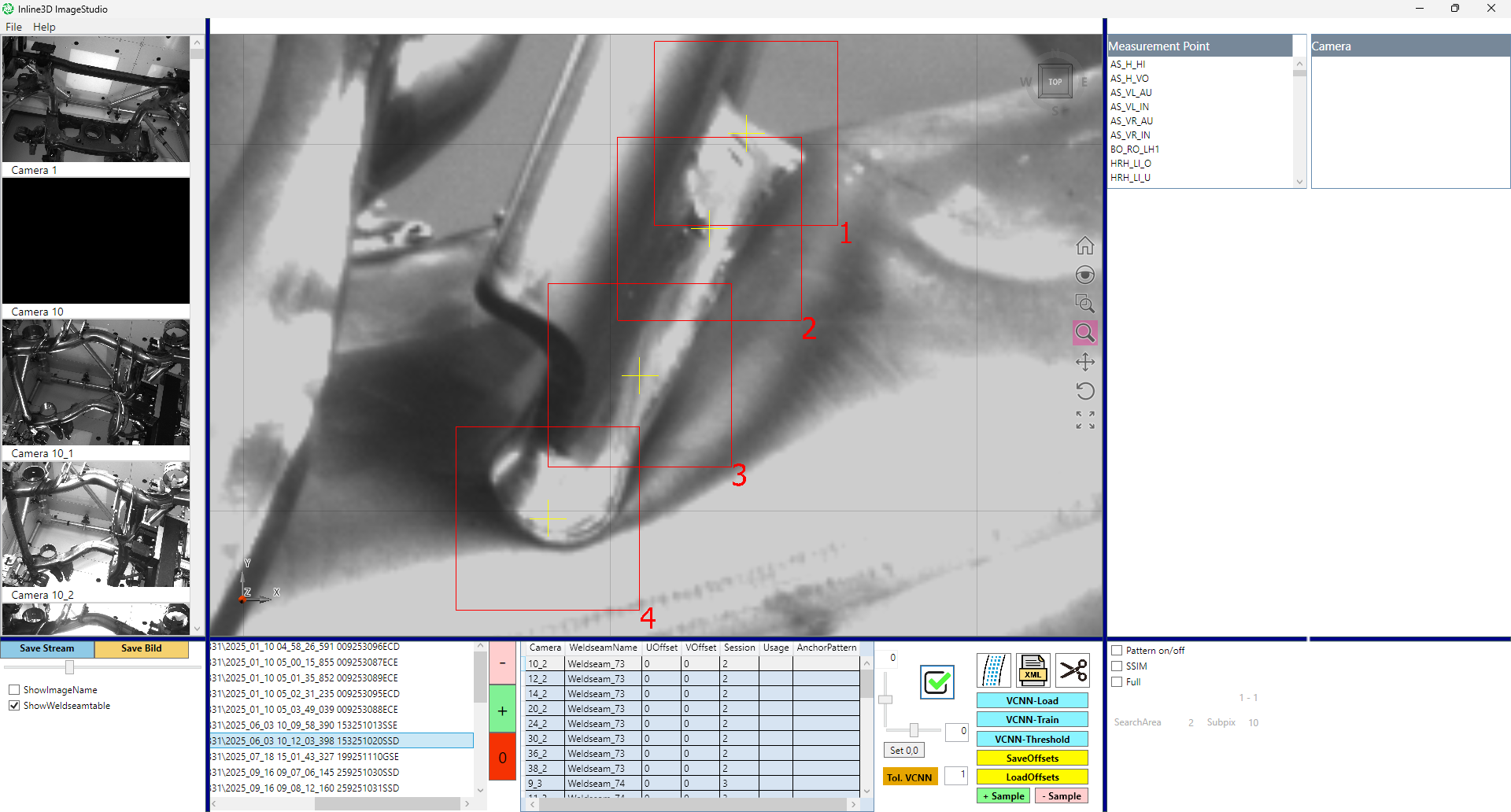
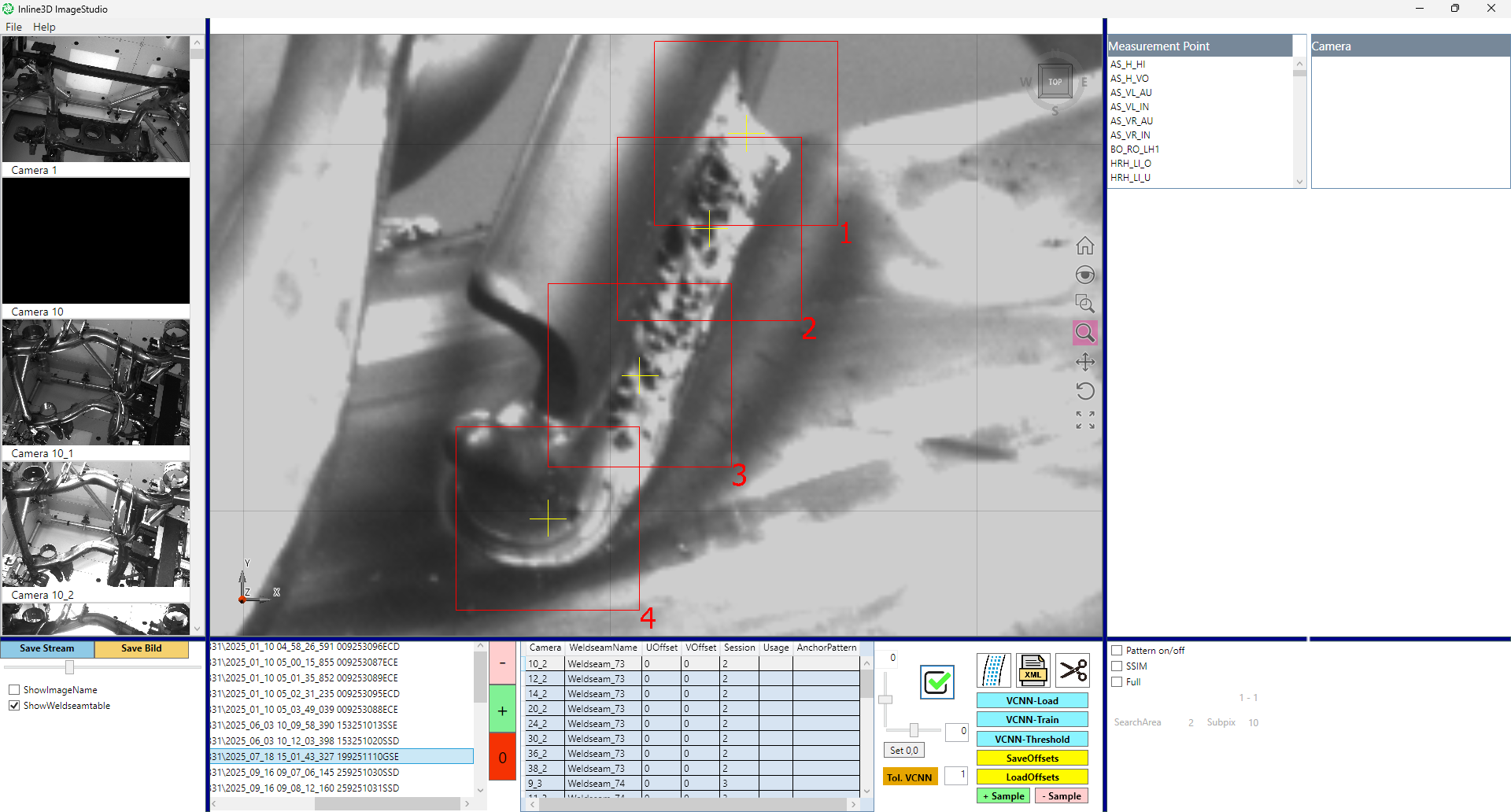
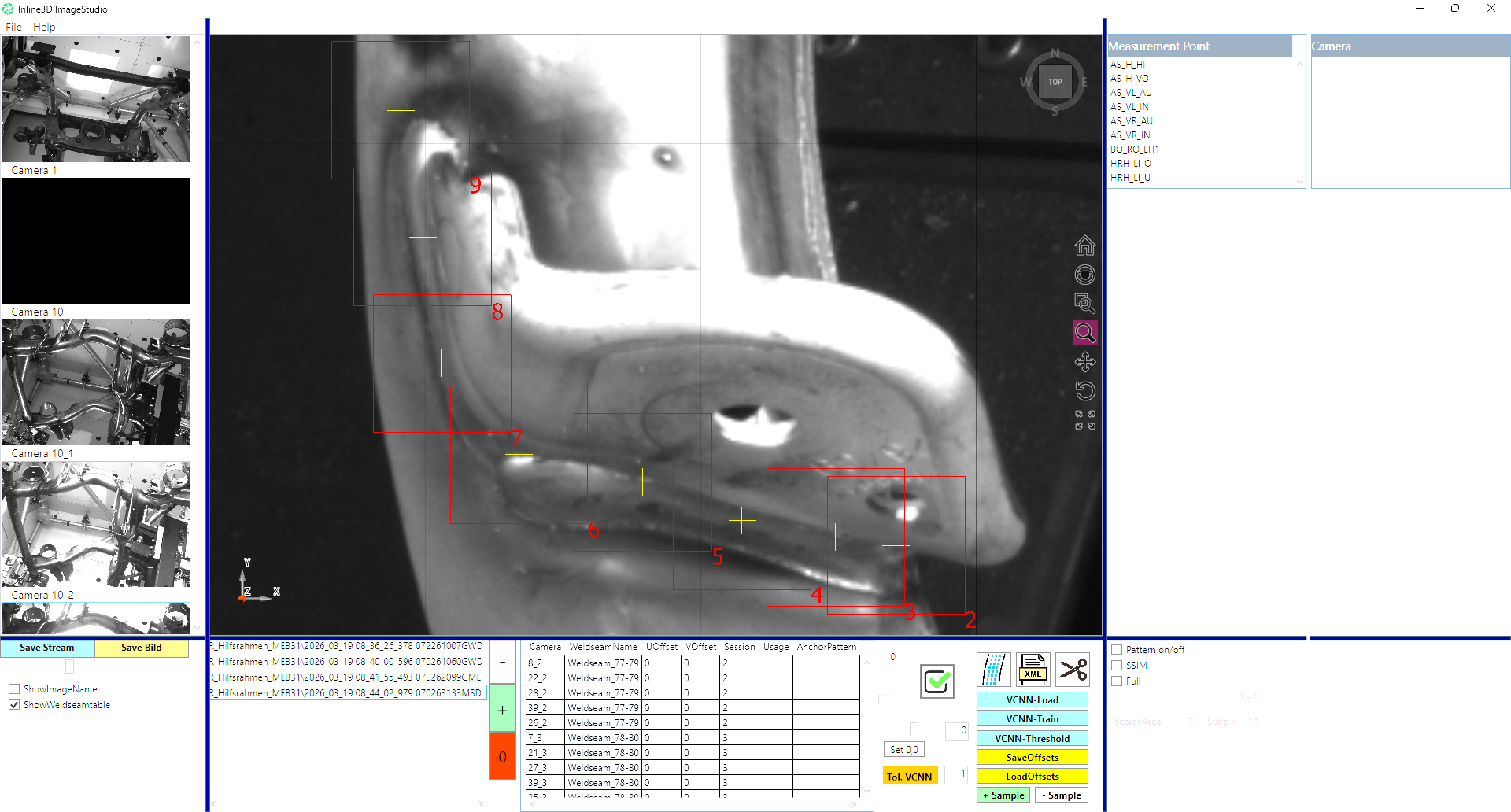
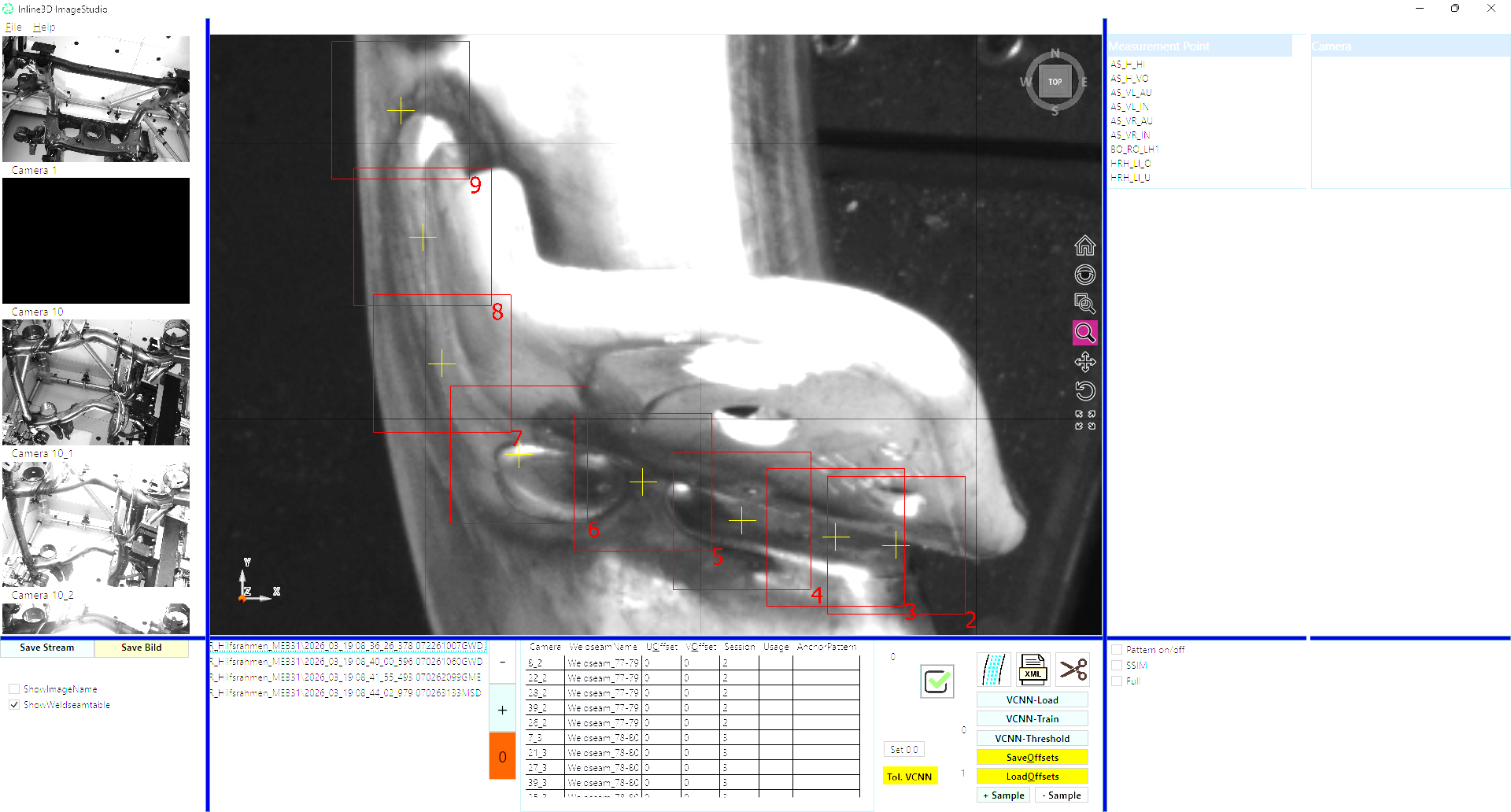
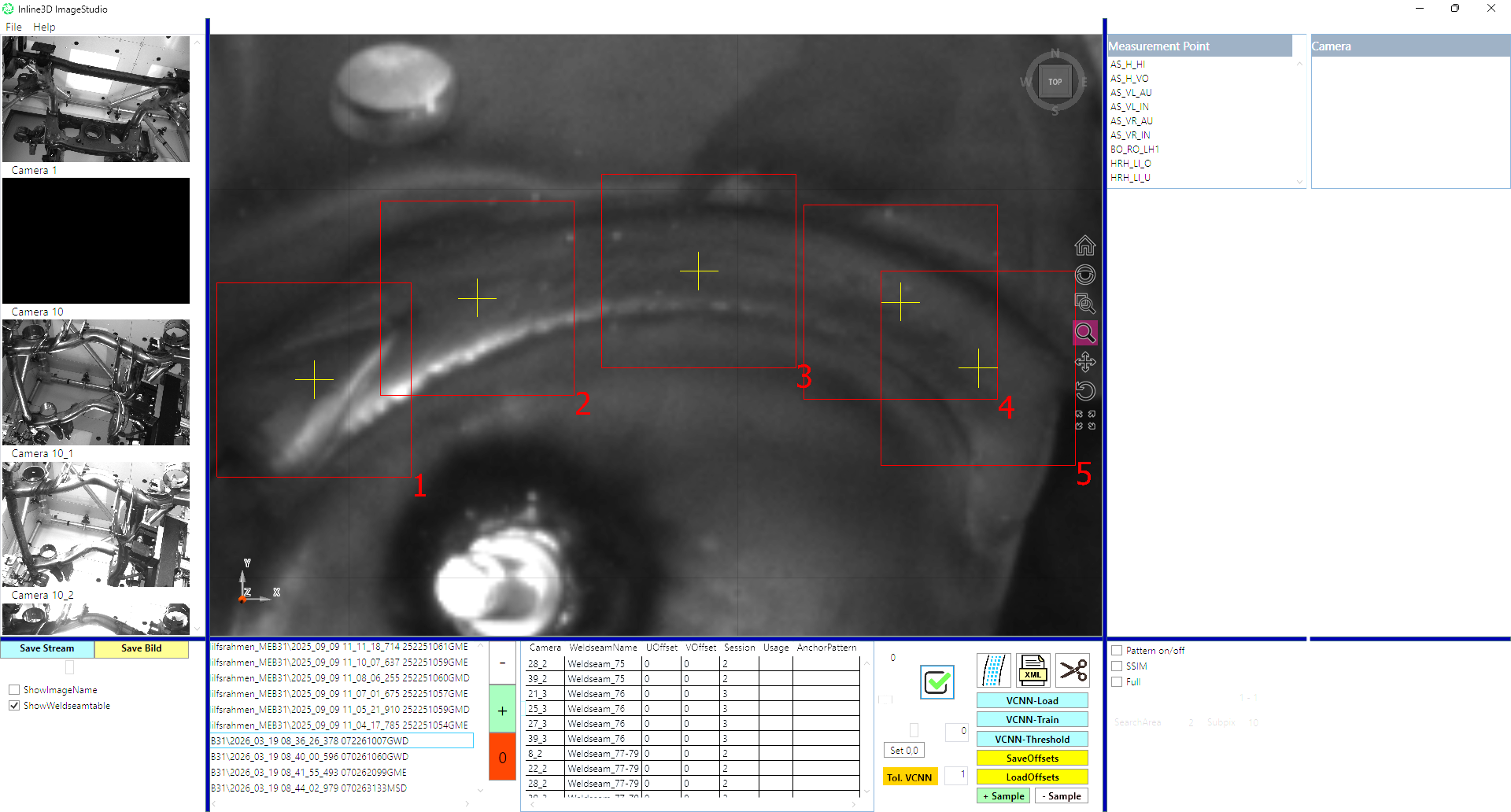
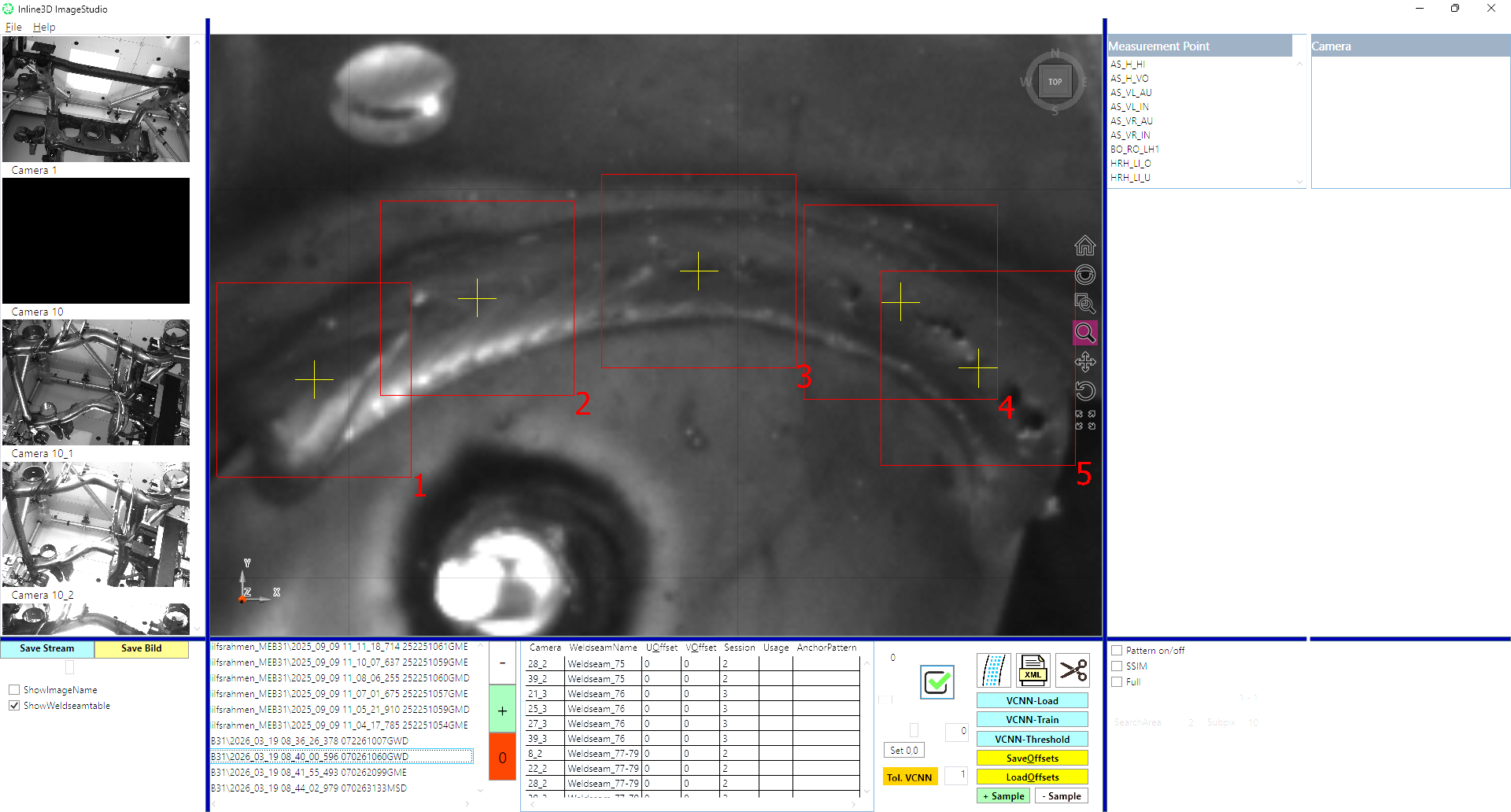
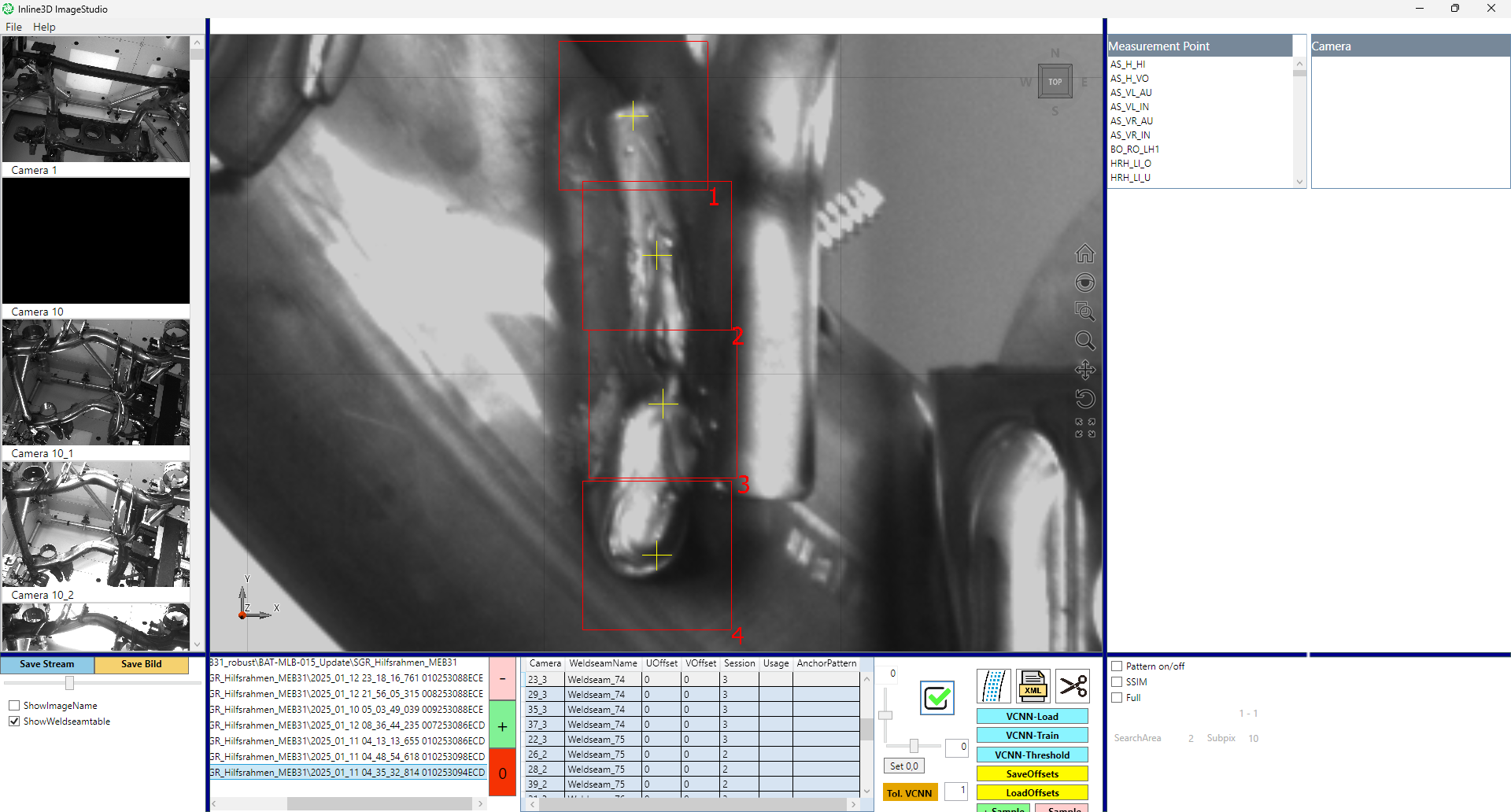
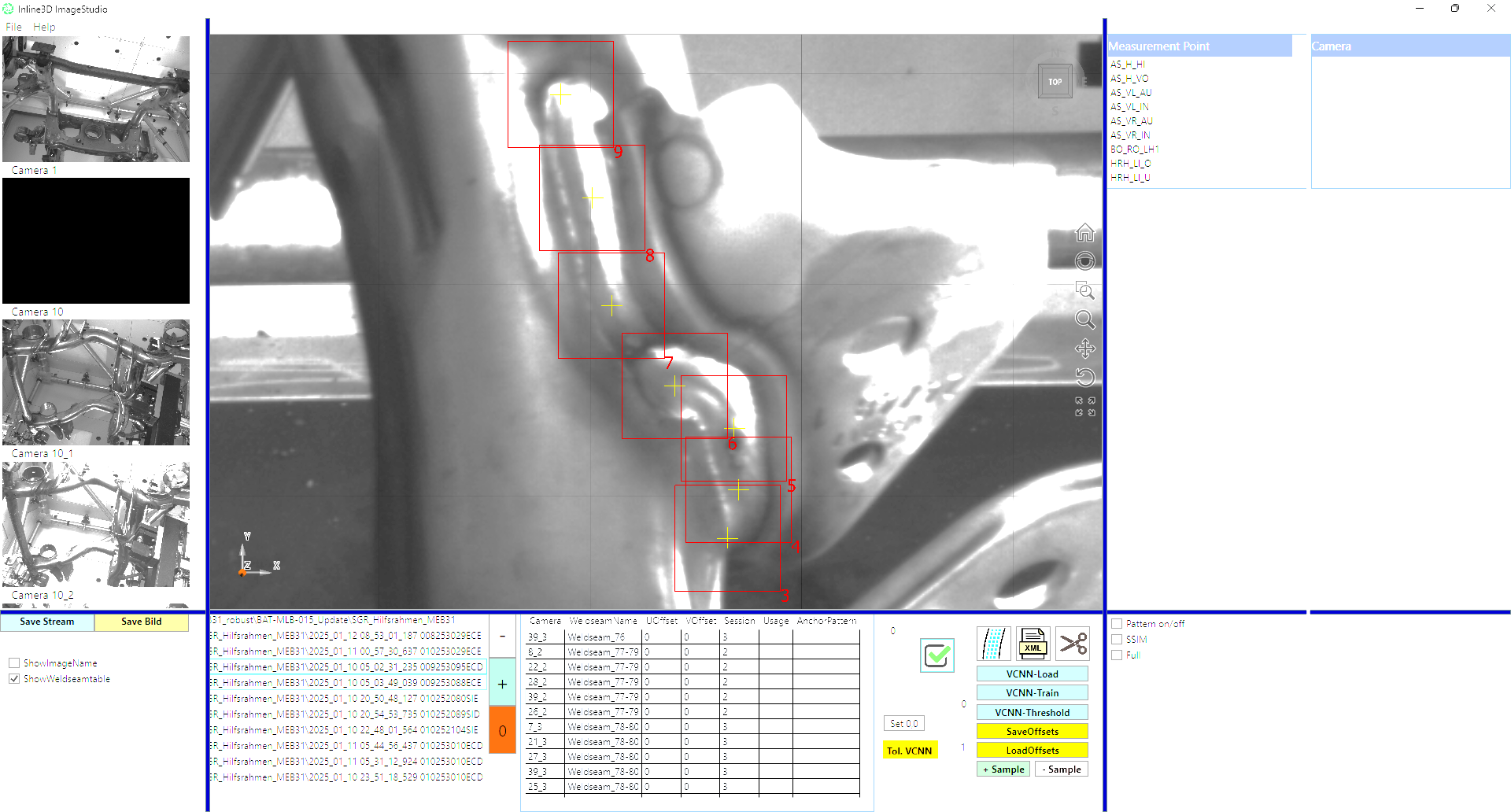
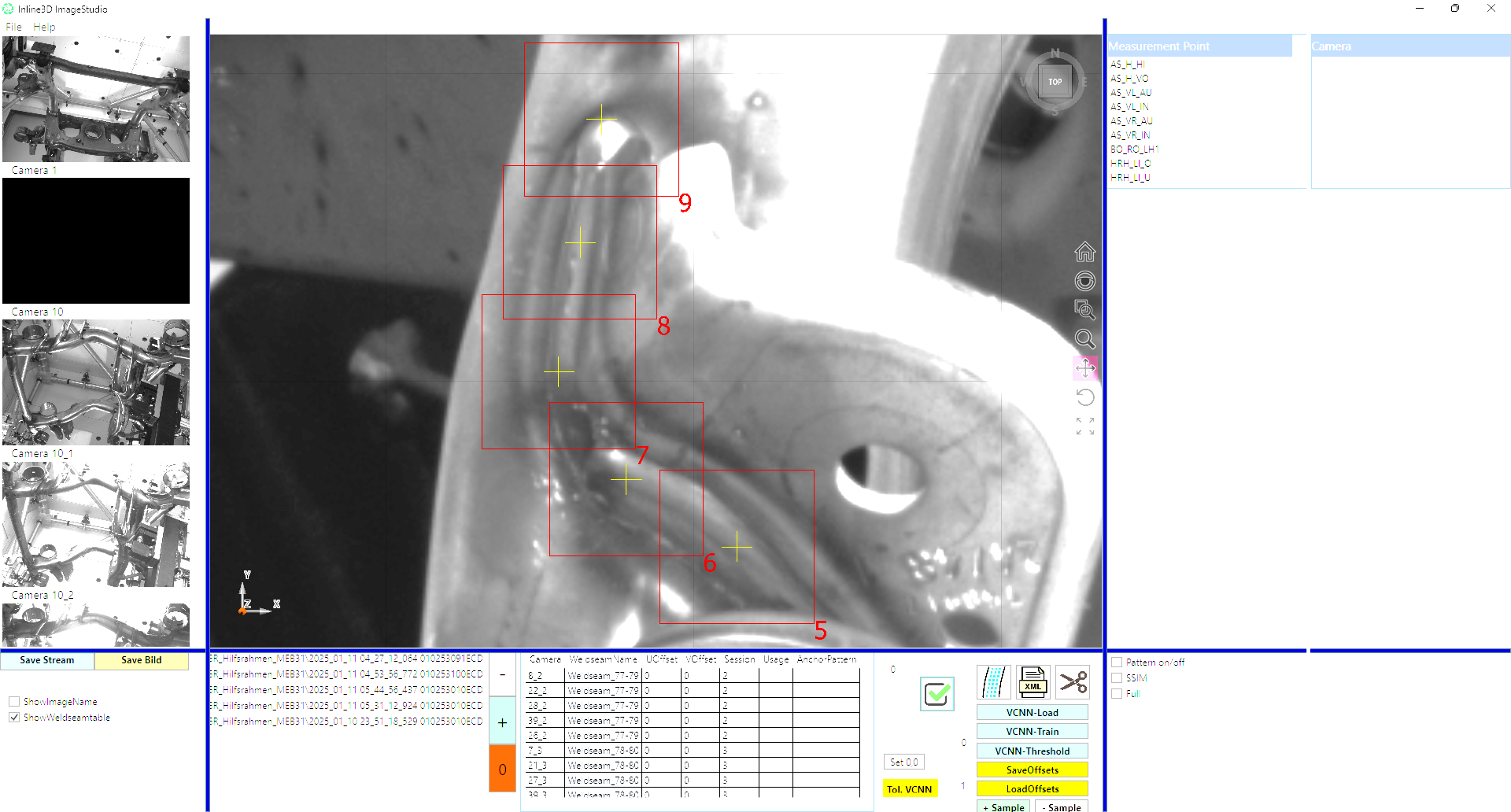
Camera images support investigation of flagged seams and process variation. Your team can review the inspection evidence and use it to guide follow-up checks.

ImageStudio and analysis
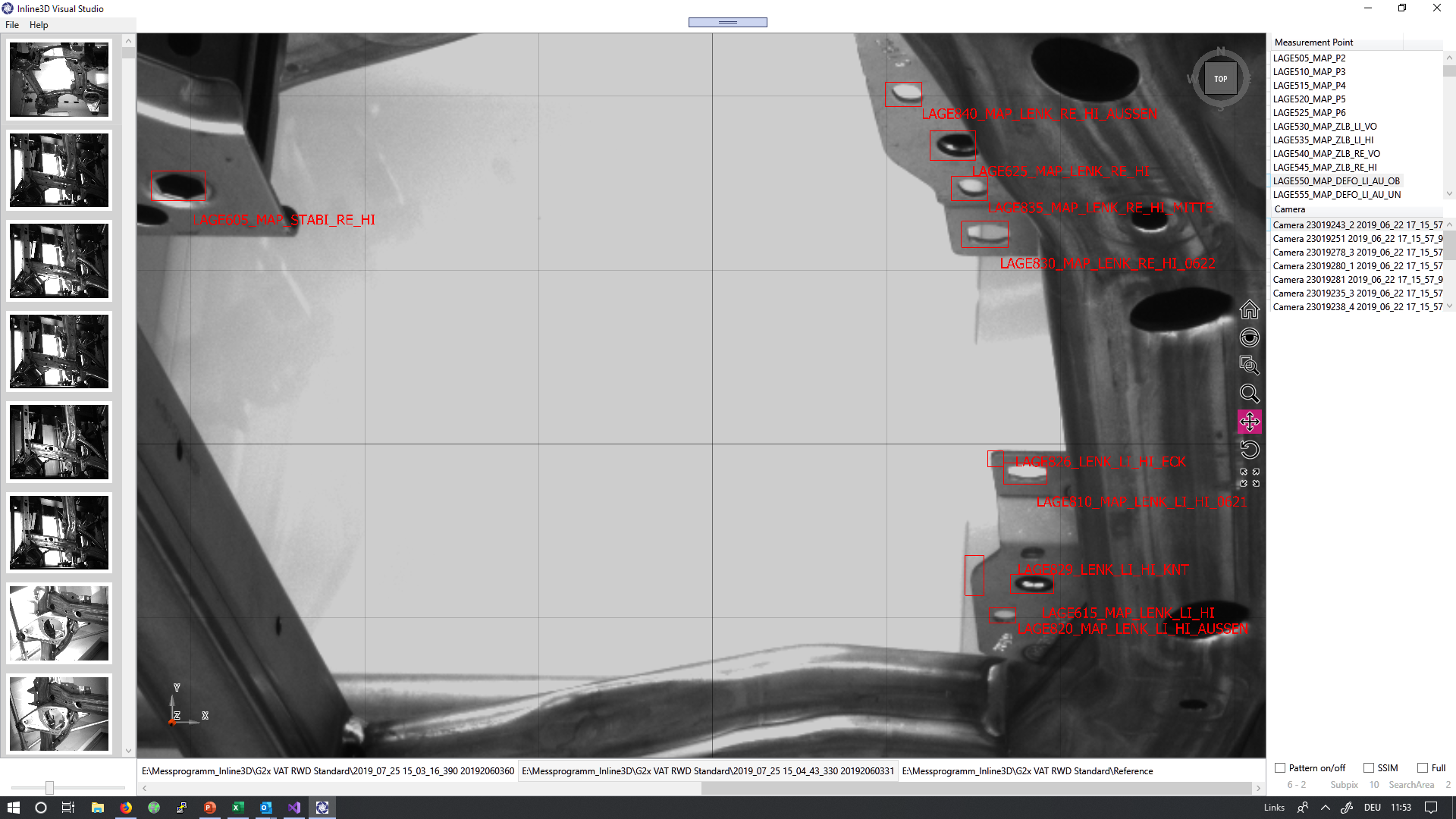
ImageStudio inspection-image review

Geometry and weld inspection in one system

Use the same Inline3D measurement system for dimensional checks and visible weld inspection. Camera coverage, illumination and cycle time are reviewed against the component.

System configurations

Let’s review your component

Share your CAD data, inspection requirements and target cycle time. We can review the system configuration and integration with your team.

Contact Inline3D

Weld seam displacement

OK
OK seam: Weld seam displacement
NOT OK
NOT OK seam: Weld seam displacement, defect circled in yellow

Porosity

OK
OK seam: Porosity
NOT OK
NOT OK seam: Porosity, defect circled in yellow

Interrupted seam

OK
OK seam: Interrupted seam
NOT OK
NOT OK seam: Interrupted seam, defect circled in yellow

Porosity

OK
OK seam: Porosity
NOT OK
NOT OK seam: Porosity, defect circled in yellow

Interrupted seam

OK
OK seam: Interrupted seam
NOT OK
NOT OK seam: Interrupted seam, defect circled in yellow

Porosity

OK
OK seam: Porosity
NOT OK
NOT OK seam: Porosity, defect circled in yellow

Incorrect seam length

OK
OK seam: Incorrect seam length
NOT OK
NOT OK seam: Incorrect seam length, defect circled in yellow

Re-welded seam

OK
OK seam: Re-welded seam
NOT OK
NOT OK seam: Re-welded seam, defect circled in yellow

Weld spatter

OK
OK seam: Weld spatter
NOT OK
NOT OK seam: Weld spatter, defect circled in yellow

Incorrect seam thickness

OK
OK seam: Incorrect seam thickness
NOT OK
NOT OK seam: Incorrect seam thickness, defect circled in yellow

Interrupted seam

OK
OK seam: Interrupted seam
NOT OK
NOT OK seam: Interrupted seam, defect circled in yellow

Burn-through

OK
OK seam: Burn-through
NOT OK
NOT OK seam: Burn-through, defect circled in yellow